Understand the Importance of Accurate Scanning
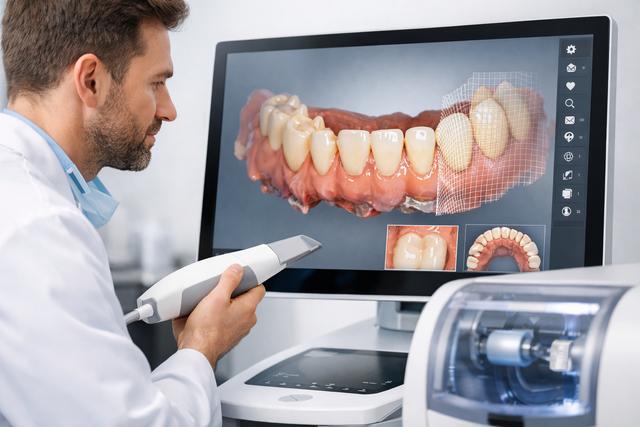
Accurate scanning is the foundation of a successful CEREC design. If your initial scan isn’t precise, it can lead to misfit crowns that cause seating issues. Aim for at least a 98% accuracy rate in your scans to minimize adjustments later. This can significantly reduce chair time and improve patient satisfaction.
Utilize the latest scanning technology and techniques. For example, ensure your intraoral scanner is calibrated correctly before each use. This simple step can dramatically improve your scan quality. A study showed that practices using high-quality scanners reported a 30% decrease in adjustments needed post-milling.
Minimize Artifacts During Scanning
Artifacts can distort your scans and lead to design problems. To reduce these, ensure the teeth are clean and dry before scanning. Saliva and blood can create interference, leading to inaccuracies. Aim to achieve a dry field, as even minor moisture can lead to a 10% increase in errors.
Consider using a cheek retractor to keep the area dry and free from obstructions. This technique can enhance the clarity of your scans and ultimately result in a better fit for your crowns. Additionally, using a high-speed suction device can help maintain a clear view of the area being scanned.
Optimize Design Parameters
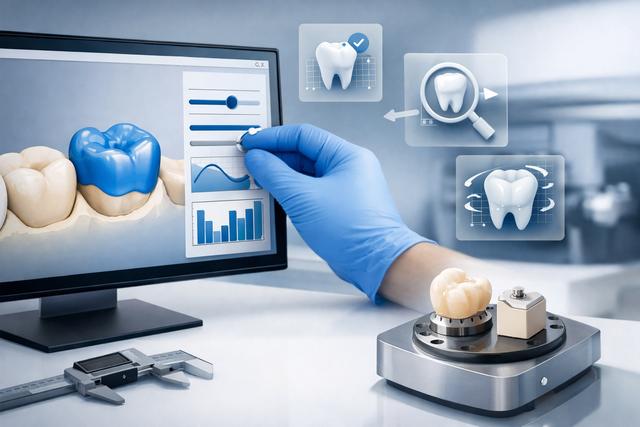
Adjusting your design parameters can significantly impact the final outcome of your crowns. Make sure to customize parameters like margin settings and occlusal contacts based on each patient’s unique anatomy. For instance, setting the margin width to 1.5mm can improve the crown’s retention and reduce the risk of seating issues.
Always refer to the specific requirements of the material you’re using. For example, zirconia crowns may require different design considerations than lithium disilicate crowns. Understanding these nuances can lead to a 20% improvement in fit accuracy.
Utilize Software Features Effectively
Modern CEREC software comes packed with features designed to enhance your designs. Take full advantage of these tools to improve accuracy. For example, the software's automatic margin detection can save time and increase precision. This feature can reduce manual adjustments by 25%, allowing you to focus on other aspects of patient care.
Additionally, use the virtual articulator feature to simulate occlusion and ensure proper fit. This can help you identify potential seating issues before the crown is milled. Regularly updating your software to the latest version can also provide you with improved algorithms and features that enhance design accuracy.
Conduct Virtual Try-Ins
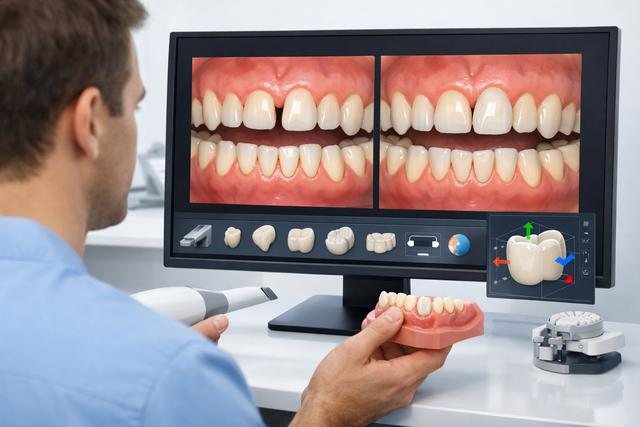
Virtual try-ins are an invaluable step in the CEREC design process. They allow you to check the fit and occlusion of your crowns before milling. This proactive approach can save you time and resources, as addressing issues at this stage is far easier than after milling.
Incorporate feedback from the virtual try-in into your design adjustments. If a crown appears to have seating issues, modify the design accordingly, such as adjusting the occlusal surface or margins. A case study showed that practices using virtual try-ins reported a 40% decrease in remakes due to fit issues.
Communicate with Your Lab
If you’re working with a dental lab, maintaining open lines of communication is crucial. Share your design preferences and any specific requirements for each case. This collaboration can help minimize misunderstandings and improve the final fit of your crowns. For example, specify the type of material and thickness you prefer, as this can influence the final outcome.
Regularly schedule meetings or calls with your lab technicians to discuss any challenges or successes. This ongoing dialogue can lead to a 15% improvement in overall crown quality and fit.
Test Your Designs with Prototypes
Creating prototypes of your crown designs can help you identify potential issues before the final product is made. Use a material that mimics the final crown but is easier to adjust and modify. This step can be particularly beneficial when working with complex cases.
For instance, if you use a resin material for prototypes, you can easily make changes based on fit and comfort before proceeding to the final milling stage. This approach can save you time and reduce the number of adjustments needed during the seating appointment. A survey found that practices using prototypes experienced a 50% reduction in patient follow-up visits for adjustments.
Review and Analyze Past Cases
Reviewing past cases is crucial for continuous improvement. Analyze cases with seating issues to identify common factors. Look for patterns in design parameters, materials used, and patient anatomy. This analysis can help you make informed decisions for future cases and avoid repeating mistakes.
By learning from previous mistakes, you can refine your design processes and reduce the likelihood of future issues. For instance, if you find that a specific material consistently leads to poor fits, consider switching to a different option. Implementing a case review system can lead to a 30% improvement in crown fit over time.
Educate Your Team
Your team plays a vital role in the CEREC design process. Ensure they’re well-trained in scanning techniques, design software, and material properties. A knowledgeable team can significantly reduce errors and improve overall efficiency. Consider holding regular training sessions or workshops to keep everyone updated on best practices.
Investing in ongoing education can lead to a 25% increase in productivity and a noticeable drop in errors. Encourage your team to attend seminars or webinars related to CEREC technology and design, which can provide fresh insights and techniques.
Stay Updated with Industry Trends
The dental industry is ever-evolving, with new techniques and technologies emerging regularly. Stay informed about the latest advancements in CEREC design and materials. Subscribe to industry publications or attend dental conferences that focus on CAD/CAM technologies.
Networking with other professionals can provide insights that can enhance your practice. Joining online forums or social media groups can also help you stay abreast of trends and share experiences with peers. This proactive approach can lead to an overall improvement in your practice’s efficiency and patient outcomes.
Utilize DodoDentist for Practice Management
Finally, incorporating practice management software like DodoDentist can streamline your workflow. With its features, you can manage patient records, appointments, and follow-ups more efficiently. This can lead to a more organized practice and improved patient satisfaction.
For instance, you can set up automatic appointment reminders to ensure patients show up for their crown seating appointments. This can significantly reduce no-shows and improve your overall practice efficiency. Check out our downloads page for more information on how to implement DodoDentist in your practice. By optimizing your workflow, you can focus more on providing excellent patient care and less on administrative tasks.