If your practice loses even two appointments a week to no-shows, that is over $18,000 a year walking out the door. The fastest, cheapest fix is no longer a front-desk clipboard or a generic calendar app — it is purpose-built dental appointment reminder software. But the category has exploded, vendors are loud, and the contracts can be ugly. This guide cuts through the marketing and gives you the exact framework a savvy practice owner should use to pick the right tool in 2026.
By the end of this buyer's guide you will know what features to demand, what compliance questions to ask, how to compare pricing models without getting squeezed, how to run a two-week vendor trial that does not disrupt your staff, and which red flags in contracts cost other practices thousands. Let's get into it.
What is dental appointment reminder software?
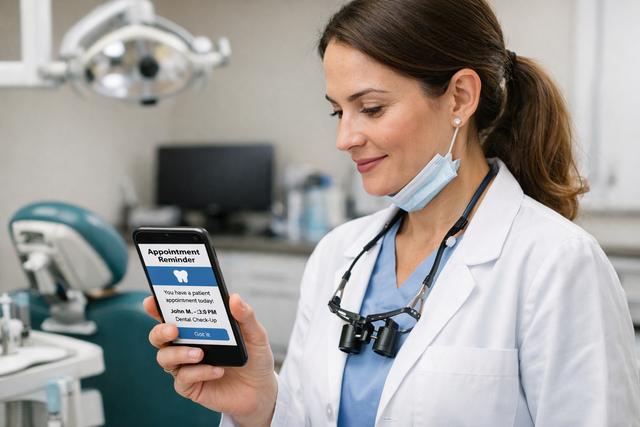
Dental appointment reminder software is a system that automatically contacts your patients before their visits through SMS, WhatsApp, email, or voice, collects their confirmations, and fills empty slots from a waitlist or recall list when someone cancels. It is not a generic calendar reminder app. It speaks the dental workflow: recall cycles, hygiene intervals, treatment-plan follow-ups, multi-provider columns, and insurance verification cut-offs.
Generic tools like Google Calendar or Calendly were built for one-to-one meetings and have no concept of a 6-month recall, a 24-hour cancellation policy, or a practice management system (PMS) two-way sync. That is why a dedicated category exists. The good ones do four jobs at once: remind, confirm, recall-fill, and report.
If you are still wondering whether you need this category at all, read 10 ways to reduce patient no-shows first — it quantifies the pain. This article assumes you have decided the pain is real and you are now ready to buy.
The 8 features every dental practice should require
Before you demo anything, write down these eight features. If a vendor cannot tick all eight without an "on the roadmap" answer, move on.
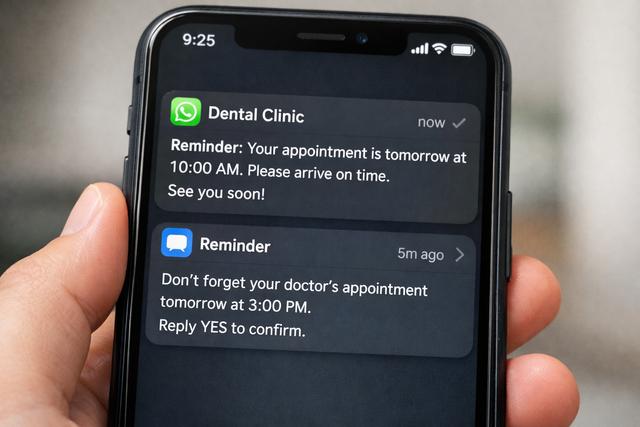
- Multi-channel delivery — SMS, WhatsApp, email, and voice from a single contact record, with automatic fallback (if WhatsApp is undelivered in 10 minutes, try SMS).
- Two-way conversations — patients reply "C" to confirm, "R" to reschedule, or free-text a question, and the message lands in a real inbox a team member can triage.
- Language support — at a minimum, the five most common languages spoken by your patient panel. Ideally 30 or more, with auto-detection from the patient profile.
- HIPAA and GDPR compliance — signed Business Associate Agreement, audit logs, data residency options, and a documented patient-consent flow.
- Recall and no-show backfill — automatically offer a cancelled slot to the next patient on a waitlist and track response time.
- PMS integration — live two-way sync with your practice management system so you are not juggling two source-of-truth calendars.
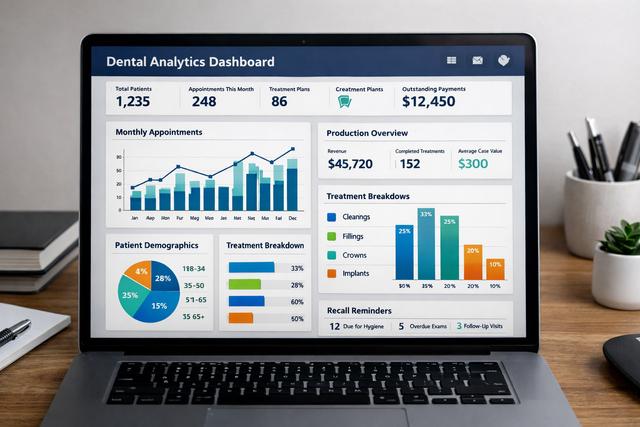
- Analytics — dashboards that show no-show rate, confirmation rate by channel, response latency, and revenue saved — not just "messages sent".
- Transparent pricing — per-seat or per-message, clearly stated on the website, with no hidden SMS pass-through fees or "setup" charges over $500.
Any tool missing even two of these will either force you into a second tool or force your front desk to copy-paste into it. Neither is acceptable.
SMS vs WhatsApp vs email vs voice: which channel wins?
The honest answer is no single channel wins — the right stack is what wins. Use this decision matrix:
- WhatsApp — best for patients in Europe, Latin America, India, and the Middle East. Open rates around 98%, reply rates near 40%, and pricing that is often a fraction of SMS. Rich media (PDFs, maps, videos) works natively. Read WhatsApp appointment reminders for dentists for the deeper dive on regulatory and setup.
- SMS — still the default in the US, UK, and Canada. Nearly universal phone compatibility, 95% open rates, and a known cost. Older demographics prefer it. See SMS appointment reminders for implementation tips and templates.
- Email — use it for long-form content: pre-op instructions, post-op care, treatment-plan PDFs. Not your primary reminder because open rates hover around 30% and spam filters eat the rest.
- Voice — reserved for high-value appointments (implants, ortho consults) and for your 70+ patient cohort. Expensive per-call and slow to deliver, but it signals care.
The winning stack for most practices is WhatsApp-first with SMS fallback for numbers where WhatsApp is undelivered, plus email for confirmations and pre-op instructions. If you want the tactical walkthrough of configuring that cadence, see how to send reminders.
HIPAA and GDPR: the compliance checklist
Patient data is Protected Health Information. A breach is not just embarrassing — it is tens of thousands of dollars in fines plus a state-attorney-general investigation. Before you sign anything, ask these six questions in writing:
- Will you sign a Business Associate Agreement (BAA) at our current price tier, not a premium upcharge?
- Where is patient data stored and processed? (You want regional residency options — US, EU, or UK depending on your patient panel.)
- What access logs and audit trails are available, and how long are they retained?
- How is data encrypted at rest and in transit, and who holds the keys?
- What is your breach-notification SLA? (72 hours is the GDPR standard; demand it.)
- On cancellation, how do we export our data, in what format, and how soon is it deleted from your systems?
If a sales rep dodges, defers, or says "our legal team will get back to you" and then doesn't, that is your answer. Cross them off.
A couple of practical additions. First, confirm that the BAA covers any sub-processors the vendor uses — cloud hosts, SMS gateways, analytics tools — not just the vendor itself. A BAA that stops at the front door is not a BAA that protects you. Second, ask for a sample Data Processing Addendum (DPA) if you serve any EU patients. GDPR applies to the data of any EU resident regardless of where your practice is located, and a vendor that cannot produce a DPA on request is a vendor that has not thought through the regulation.
Finally, request a copy of the vendor's most recent third-party security assessment — SOC 2 Type II is the standard in 2026. A vendor with nothing to share is not necessarily insecure, but they are asking you to take their word for it, and patient data deserves more than that.
Pricing models: per-message, per-chair, per-location
Three pricing models dominate this category, and each hides a different trap.
- Per-message — you pay for each SMS or WhatsApp sent. Predictable for a small practice but punishes growth. Watch for "SMS surcharges" that the vendor passes through at 2-3x carrier cost.
- Per-chair or per-provider — flat fee per operatory or per active dentist. Good for growth because marginal messaging is free, but ask what counts as an "active" chair (do associates or hygienists each count?).
- Per-location — flat monthly fee per practice address, often the best value for established single-location practices. Multi-site groups should negotiate a volume discount north of 20%.
The pricing red flags you are scanning for: setup fees over $500, onboarding fees disguised as "training", separate line-items for "API access" that unlock basic features, and a "carrier fee" that is really margin. Demand a per-patient-per-month all-in number and do the math yourself before signing.
How to run a 2-week vendor trial without disrupting staff
Every serious vendor will give you a free trial. Most practices waste it by letting the system run in the background and "getting a feel for it". Don't. Run the trial like an experiment with a protocol:
- Day 1-2 — import a subset of 50 patients scheduled over the next two weeks. Do not migrate your whole patient list during a trial.
- Day 3-4 — configure one reminder cadence: a 7-day email, a 24-hour WhatsApp or SMS, and a 2-hour text for morning appointments.
- Day 5-10 — run the system live on those 50 patients. Track confirmation rate, no-show rate, and staff time spent dealing with replies.
- Day 11-12 — simulate a cancellation and see how the recall/waitlist flow fills the slot. Time it.
- Day 13-14 — export all your data and confirm it comes out clean. If the export is broken, assume the rest of the product is too.
Decision criteria: confirmation rate above 70%, no-show rate below your baseline minus 30%, and less than 10 minutes per day of front-desk intervention. Anything worse means the tool is not doing its job.
One more thing most buyers forget: during the trial, measure the vendor's support responsiveness too. Send a support ticket on day 3 with a realistic question ("how do I add a second reminder 48 hours before?"), and another one on day 8 with a harder one ("one patient got two SMS messages an hour apart — what happened?"). Time both responses. A vendor that takes three business days to reply during the free trial will take a week once you are paying.
DodoDentist vs Weave vs NexHealth vs Solutionreach
Here is an honest side-by-side of the four most-asked-about options in 2026. Use this as a starting point, not gospel — pricing and features shift quarterly.
- Weave — strong US presence, bundled VoIP phone system, weak outside North America and limited WhatsApp support. Pricing on the higher end and contracts often 24 months.
- NexHealth — excellent PMS integration library, developer-friendly API, less opinionated on messaging cadence so you build the flows yourself. Good for larger DSOs with an operations team.
- Solutionreach — established brand with a large template library and good reporting, but the UI shows its age and the monthly cost is one of the highest in the category.
- DodoDentist — where we focus: WhatsApp-first reminders with SMS fallback, 90+ language support out of the box, transparent per-patient pricing, and a free tier for practices under 100 active patients. Best fit for single or multi-location practices outside of the US-only market, and for US practices that serve multilingual communities.
Our honest edge is two-fold: WhatsApp-first as a default (not an add-on) and genuine 90+ language reach. If your patient panel is monolingual English and US-only, Weave or NexHealth may serve you equally well — go with whichever trial performs better on the protocol above.
A fair warning about comparison blog posts in this category: most of them are written by affiliates paid per signup, which is why they all conclude with a different "winner" depending on who paid. The only comparison that matters is one you run yourself with your own patients, your own languages, and your own PMS. Use public G2 and Capterra reviews for the sniff test, but trust your two-week trial for the verdict.
5 red flags in dental reminder software contracts
Every horror story we hear from practice owners who switched vendors starts with one of these five clauses. Read every contract with a highlighter and kill any of these you find:
- Auto-renew with more than 30 days' notice required to cancel. Some vendors require 90-day written notice. Miss it and you are locked in for another year. Demand a 30-day rolling cancellation after the initial term.
- Data-ownership ambiguity. The contract should state explicitly that you own your patient data and can export it in a standard format (CSV, JSON) at any time, free of charge.
- Price-increase clauses tied to "market conditions". This is a blank check for annual 15-20% hikes. Lock in your per-patient or per-seat rate for the full initial term.
- Usage caps with overage fees. "Up to 5,000 messages/month, then $0.05/message" seems reasonable until a recall campaign pushes you to 8,000 and your invoice triples. Negotiate unlimited or a soft cap with a warning at 80%.
- Mandatory arbitration and class-action waivers. Standard for consumer contracts but a giveaway for B2B. If a vendor has a widespread outage, you want the option to join a collective action. Strike the clause or escalate to legal.
A good vendor will red-line most of these without a fight. A vendor that won't is telling you how they see the relationship.
Putting it all together
Buying dental appointment reminder software is a higher-leverage decision than most practice owners treat it as. The right tool pays for itself in the first month of reduced no-shows; the wrong one locks you into a 2-year contract, an ugly UI, and a front desk that quietly goes back to paper reminders.
Run your vendor shortlist through the eight-feature checklist, ask the six compliance questions in writing, demand a transparent per-patient number, run the structured 2-week trial, and kill any contract with the five red flags. That is the whole playbook.
Start your 14-day trial of DodoDentist — free reminders for up to 100 patients, no credit card.