Great SMS appointment reminders do three things in under 160 characters: they tell the patient who is texting, when the appointment is, and what to reply. Everything else is noise. The templates below are the ones that actually move the needle on no-show rates — copy them, localize them, and send them.
If you already use dental appointment reminder software, these map straight onto the automation rules. If you do not, the last section explains how to pick one that imports all 12 in a click.
The anatomy of an SMS reminder that gets confirmed
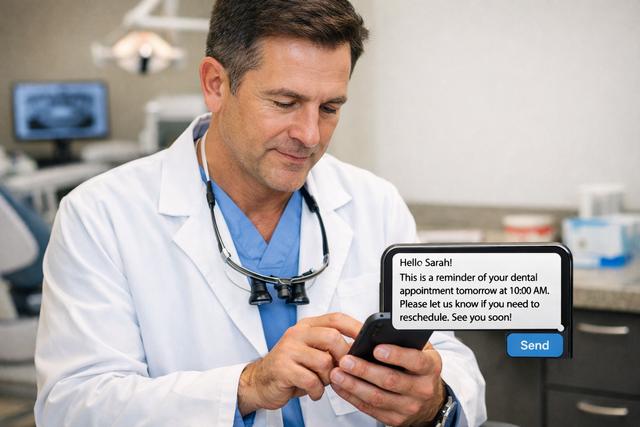
Before the templates, four rules that apply to every single one of them:
- Stay under 160 characters. One segment costs less, delivers faster, and looks clean on every phone. Multi-segment SMS is where confirmations go to die.
- Lead with your clinic name. Patients ignore texts from unknown numbers. "Smile Dental:" as the first word earns the read.
- One call to action, never two. Either "reply C to confirm" or "call us" — never both. Split-attention kills response rates.
- Put the date, time, and dentist in that order. Scannable. Patients decide in three seconds whether this is them.
Every template below follows that pattern. Treat the placeholders in curly braces as merge fields your software fills in.
Template 1–3 — Booking confirmation
Sent within minutes of the booking. Three tones to match your brand voice.
Template 1 — Friendly:
Smile Dental: Hi {{FirstName}}, you are booked with Dr. {{Dentist}} on {{Date}} at {{Time}}. See you then! Reply R to reschedule.
Template 2 — Formal:
Smile Dental: {{FirstName}}, your appointment with Dr. {{Dentist}} is confirmed for {{Date}}, {{Time}}. Address: {{Address}}. Reply R to reschedule.
Template 3 — Bilingual (EN/ES):
Smile Dental: {{FirstName}}, cita confirmada {{Date}} {{Time}} con Dr. {{Dentist}}. Confirmed. Reply R / responder R to reschedule.
Template 4–6 — 7-day, 24-hour, and 2-hour reminders
Cadence is the quiet hero of no-show reduction. Send too often and patients mute you; send too rarely and they forget. A 7-day + 24-hour + 2-hour cadence consistently outperforms every other combination we have seen.
Template 4 — 7-day reminder:
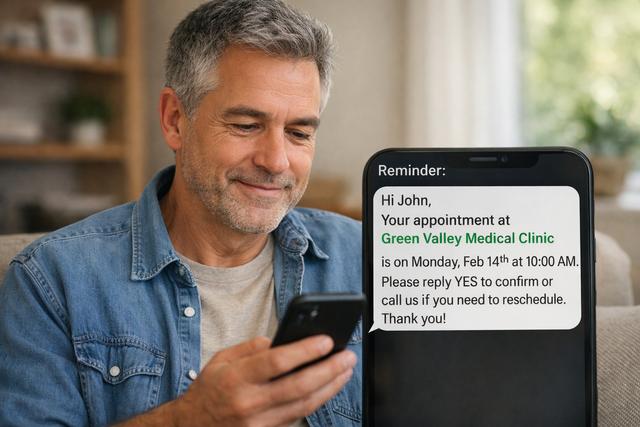
Smile Dental: {{FirstName}}, reminder — your cleaning is next {{Weekday}} at {{Time}}. Need to change? Reply R. Otherwise, see you soon.
Template 5 — 24-hour reminder:
Smile Dental: See you tomorrow at {{Time}}, {{FirstName}}. Please arrive 5 min early. Reply C to confirm or R to reschedule.
Template 6 — 2-hour reminder:
Smile Dental: {{FirstName}}, your appointment is at {{Time}} today with Dr. {{Dentist}}. We are ready for you.
Template 7–8 — Two-way confirmation prompts
The single biggest win in modern SMS reminders is the one-character reply. Patients tap one key. Your software reads the response and updates the calendar automatically. No phone tag, no missed voicemails.
Template 7 — C / R / X prompt:
Smile Dental: Appt {{Date}} {{Time}}. Reply C = confirm, R = reschedule, X = cancel. Thanks, {{FirstName}}.
Template 8 — Yes/No prompt:
Smile Dental: Will you make it on {{Date}} at {{Time}}, {{FirstName}}? Reply YES or NO.
Use Template 7 with patients who text fluently; Template 8 with older demographics. For the compliance side of storing these replies, see our guide on GDPR/HIPAA and reminders.
Template 9 — Hygiene recall (6-month)
Recall is where most clinics leak recurring revenue. A well-timed text converts 25–40% of lapsed hygiene patients without a single phone call.
Template 9 — 6-month hygiene recall:
Smile Dental: Hi {{FirstName}}, it has been 6 months — time for your cleaning. Book online: {{BookingLink}} or reply BOOK and we will call you.
Send between 9am and 11am on a Tuesday or Wednesday. Avoid Mondays (inbox overload) and Fridays (weekend-mode).
Template 10 — Post-op check-in
Same-day follow-up after extractions, implants, or root canals is the template patients remember. It costs you one SMS and earns you a five-star review.
Template 10 — Post-op check-in:
Smile Dental: {{FirstName}}, how are you feeling after today? Pain, swelling, or questions — reply here and Dr. {{Dentist}} will respond.
Send 4–6 hours after the procedure. Earlier, and anaesthetic is still wearing off; later, and patients are asleep.
Template 11–12 — Cancellation fill offer
When a slot opens up unexpectedly, speed wins. Text a short-list of flexible patients in priority order and fill the chair in under an hour.
Template 11 — Short-list blast:
Smile Dental: A {{Time}} slot just opened today with Dr. {{Dentist}}. First to reply YES gets it, {{FirstName}}.
Template 12 — Specific offer:
Smile Dental: {{FirstName}}, your next cleaning is booked for {{OriginalDate}}. We have an earlier spot {{NewDate}} {{Time}}. Want it? Reply YES.
Keep a saved "fill list" of 15–20 patients who have asked for earlier appointments. That list pays for your reminder software on its own.
How to localize these for Spanish, Portuguese, Italian or Arabic patients
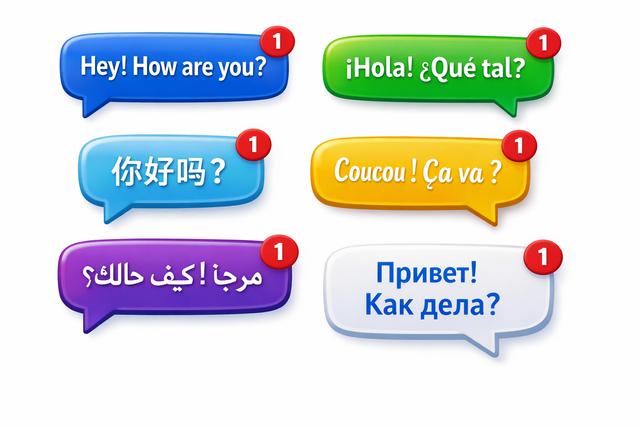
Translation is not localization. A literal Spanish version of "See you tomorrow" lands fine in Mexico and stiff in Argentina. A few rules that save you from awkward texts:
- Spanish: Use "usted" for patients over 60, "tú" for under 40. In Mexico, "cita" is standard; in Spain, "hora" is common.
- Portuguese: Brazilian and European Portuguese diverge sharply. "Consulta" works in both, but greetings ("olá" vs "oi") signal region.
- Italian: "Lei" (formal) is still expected for medical reminders. Patients find "tu" jarring from a clinic.
- Arabic: Right-to-left rendering matters. Test on both iOS and Android — some older devices break mixed-script SMS.
DodoDentist ships all 12 templates pre-translated into 90+ languages, with regional variants where they matter. You flip a switch per patient; the cadence stays identical. The step-by-step for enabling automated cadences is in how to send reminders.
Ready to stop typing reminders by hand?
Import these 12 templates into DodoDentist in one click — start free. Every template above is pre-loaded and editable. Change a word, add your booking link, flip on two-way confirmations, and your no-show rate drops inside the first month.